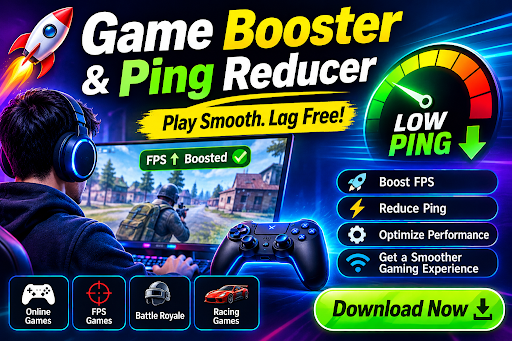
Smooth gaming depends on more than graphics quality. A powerful computer can still feel frustrating when background applications consume system resources or an unstable internet connection causes lag during online matches. A Game Booster can help prepare a PC for gameplay by managing selected background activity, while a Ping Reducer focuses on connection-related issues that can affect responsiveness in online games. Understanding the difference between these tools can help gamers choose the right solution for the problem they are actually experiencing.
Start by Finding Out What Is Causing the Lag
Before installing optimization software, it is useful to determine whether the problem comes from the computer or the internet connection.
Low FPS, stuttering, and slow rendering are usually related to hardware, graphics settings, drivers, temperatures, or background processes. In contrast, delayed actions, sudden player movement, connection warnings, and inconsistent response times are more commonly associated with network conditions.
This distinction matters because improving one side does not automatically solve the other. A faster graphics card may not reduce high ping, just as a better internet route cannot increase a graphics card’s rendering capability.
How a Game Booster Can Help
A Game Booster is designed to make a gaming session easier to manage by reducing selected background activity and providing performance-related controls.
When Windows is running a browser, messaging software, synchronization services, and other applications at the same time as a game, some system resources are being used outside the game. Depending on the software and the PC’s configuration, reducing unnecessary activity may leave more resources available for gameplay.
Main benefits of a Game Booster
- Background process management: Close selected applications that are not needed while gaming.
- Resource optimization: Reduce unnecessary CPU or RAM usage from supported background tasks.
- Gaming profiles: Apply selected settings according to the game or type of gameplay.
- Performance monitoring: View information such as FPS, CPU activity, GPU usage, or temperatures when supported.
- Simpler maintenance: Access several gaming-related controls from one interface.
A Game Booster is most useful when unnecessary background activity is actually contributing to the problem. It cannot turn entry-level hardware into a high-end gaming system, and it does not guarantee a particular FPS increase.
What Is a Ping Reducer?
Online games depend on communication between your computer and a game server. Ping is a measurement of network latency, meaning how long data takes to travel between endpoints.
A Ping Reducer is a tool or service intended to help improve the network path between your device and an online game server. Some applications may analyze available routes, select alternative connection paths, or prioritize game-related traffic.
This can be useful when your normal internet route is inefficient or when network congestion is causing inconsistent response times.
Benefits you may get from a Ping Reducer
Lower latency in suitable conditions: An alternative route may reduce the distance or network delays involved in reaching a game server.
More consistent connections: Some tools attempt to reduce fluctuations in latency rather than focusing only on the average ping.
Better online responsiveness: A stable connection can make actions feel more immediate in competitive games.
Connection management: Some services allow players to select routes or regions according to the game server they are using.
Useful for different networks: Players may experiment with routing options when their ISP’s normal path produces poor results.
However, a Ping Reducer cannot overcome every network problem. If your internet connection is slow, your Wi-Fi signal is weak, the game server is overloaded, or the problem is on the provider’s side, changing the route may have limited impact.
When Should You Use Each Tool?
The simplest way to choose between them is to look at the symptoms.
If your game has low FPS, freezing, stuttering, or slow visual performance, investigate the PC first. Check your graphics settings, temperatures, drivers, and background applications. A Game Booster may help if unnecessary processes are consuming resources.
If your game runs smoothly but players appear to teleport, actions feel delayed, or the connection frequently spikes, investigate your network. A Ping Reducer may help in cases where routing is contributing to the latency.
Some gamers may benefit from using both, especially when they experience both system and network problems at the same time.
Simple Steps for Better Online Gaming
Start by closing applications you do not need and make sure your graphics drivers are current. If possible, use a wired Ethernet connection for competitive gaming because it can provide greater stability than a congested wireless network.
Choose a nearby game server when the game provides that option. If you continue experiencing high latency, test your connection at different times of day to determine whether network congestion is involved.
When using a Game Booster or Ping Reducer, change one setting at a time and compare the results. This makes it easier to identify which adjustment actually helped.
Avoid Unrealistic Performance Claims
Gaming utilities are useful when they address a real problem, but they should not be treated as magic solutions. A Game Booster cannot replace insufficient hardware, and a Ping Reducer cannot guarantee zero lag.
Always download optimization software from reputable sources and review the settings before applying them. Avoid utilities that promise extreme FPS increases or perfect latency regardless of your hardware and internet connection.
Final Thoughts
A better gaming experience requires both system performance and network stability. A Game Booster can help manage selected background processes and make PC resources more available for gaming, while a Ping Reducer can help investigate and improve network routing when latency is the main concern.
The best results come from identifying the actual cause of the problem first. By checking your PC, monitoring your connection, and making careful adjustments, you can create a more stable and responsive gaming environment without relying on unrealistic performance promises.