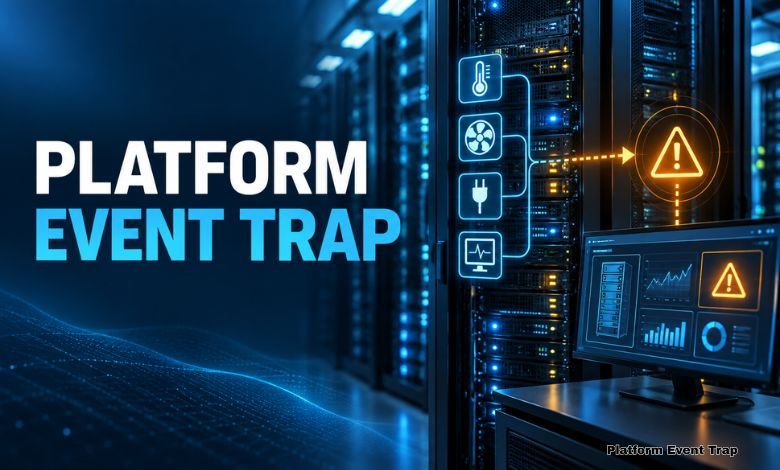
A server room can look perfectly calm while a serious problem is developing inside one of its machines. A cooling fan may be slowing down, a power supply may be losing stability, or the processor temperature may be moving towards a dangerous level. The server could still be running, so nobody notices anything unusual.
This is where a Platform Event Trap becomes useful. It sends an alert when the hardware or firmware detects a condition that needs attention. The message travels to a remote monitoring system, where an administrator can see what has happened.
The alert does not usually depend on the server’s operating system. That matters because it may continue working even when the main system has frozen, crashed or failed to start.
What a Platform Event Trap Actually Does
A Platform Event Trap, usually shortened to PET, is a warning message used in hardware management. It is most closely linked with IPMI, which stands for Intelligent Platform Management Interface.
IPMI allows technical teams to monitor a computer at the hardware level. Instead of waiting for Windows, Linux or another operating system to report a problem, it gathers information from components built into the machine.
Much of this work is handled by the baseboard management controller, better known as the BMC. This small controller sits on the server’s main board and operates separately from the main processor.
The BMC watches information coming from different sensors. Some check temperature, while others monitor fan speed, voltage, power supplies and physical access to the server case.
If a reading crosses a set limit, the controller may create an event. It checks the event against its saved alert rules and decides whether a remote warning should be sent.
The warning is commonly delivered as an SNMP trap. SNMP, or Simple Network Management Protocol, is widely used to exchange information between managed equipment and network monitoring tools.
In plain terms, PET gives the server a way to call for help. It does not wait for a technician to open a monitoring page and check every sensor. The message is sent automatically when a selected condition appears.
That makes the process quicker and more practical. A business may operate hundreds of servers across several locations. Nobody can stand beside every machine, but a central monitoring system can receive their alerts.
How a PET Alert Moves Through the System
Imagine a company running its sales platform on a physical server. The machine has two power supplies so that it can remain online if one of them stops working.
Late at night, the first power supply fails. Customers do not notice because the second unit continues providing electricity. From the outside, the website still appears normal.
Inside the machine, however, a sensor has recognised the failure. It reports the event to the BMC, which checks its platform event filter. Because power loss is marked as an important condition, the controller prepares a warning.
The message contains technical information that helps identify the affected part. It may show the sensor category, type of event and whether the condition has appeared or returned to normal.
The controller then sends the notification through the server’s management network. It can arrive at an SNMP manager, a monitoring dashboard or another system used by the IT department.
From that point, the organisation decides what happens next. The monitoring software might show a red warning, send an email or create a support ticket. Some organisations also send urgent alerts to the engineer who is on duty.
The event may be recorded inside the System Event Log as well. This log keeps a history of important platform conditions and can be useful when engineers investigate a fault.
In the example above, the engineer can arrange a replacement power supply while the server is still online. Without the alert, the first failure might remain hidden until the backup supply also developed a problem.
A Platform Event Trap does not fix anything on its own. Its value comes from giving the right information to the right team before the situation becomes more serious.
There is still a chance that a notification will not arrive. An ordinary SNMP trap is normally sent without waiting for confirmation from the receiving system. Some IPMI equipment provides acknowledgement or retry features, but support varies between manufacturers.
This is why a PET setup must be tested. Activating a setting in the management controller is only the beginning. The message must pass through the network, reach the chosen destination and appear clearly enough for someone to act on it.
The Hardware Problems PET Can Report
Temperature is a common reason for sending a hardware warning. Servers generate heat throughout the day, particularly when processors are working under a heavy load.
Cooling problems can cause the temperature to rise much faster than expected. Dust, blocked airflow, failed air conditioning or a damaged fan may all contribute to the problem.
An early temperature warning gives the technical team several options. Staff can inspect the cooling system, move work to another server or shut down the affected machine safely.
Fan speed is monitored for a similar reason. A fan does not always stop suddenly. It may become slower over time, giving the system a chance to report the change before cooling is completely lost.
Power conditions are another major area. The BMC may detect the failure of a power supply, an unusual voltage reading or the loss of power redundancy.
Depending on the equipment, alerts can also cover memory errors, processor faults, watchdog timer events and chassis intrusion. Some manufacturers include extra sensors and event types for their own server models.
Not every event deserves the same response. A small change might be recorded as information, while another condition may be classed as a warning or a critical fault.
Careful configuration is important here. If every minor change produces an urgent message, administrators can quickly become tired of the noise. Important warnings may then be lost among dozens of low-priority alerts.
The limits should reflect the server’s environment and purpose. A machine carrying essential business services may need stricter monitoring than a test system that can be taken offline without causing disruption.
Administrators should also review alerts after maintenance. A replaced fan, new power supply or firmware update may change how a sensor behaves. Old limits are not always suitable for new equipment.
Why Platform-Level Warnings Still Matter
Monitoring technology has moved far beyond simple hardware checks. Companies now watch website response times, cloud services, virtual machines, databases and user activity from a single screen.
Yet software cannot give a complete picture of physical equipment. An application monitor may show that a service has stopped, but it may not reveal that the real cause is overheating or unstable power.
Hardware-level information fills that gap. It gives technicians a closer view of the machine supporting the applications and services that customers use.
Another advantage is independence from the operating system. Software monitoring agents usually stop reporting when the operating system crashes. A working BMC may still communicate through its separate management connection.
This is especially helpful with remote equipment. A server could be installed in another office, a locked communications room or a data centre hundreds of miles away. The support team still needs to know when its physical condition changes.
A Platform Event Trap can shorten the time between a fault appearing and someone investigating it. That may reduce downtime, protect equipment and allow maintenance to be planned before the problem becomes urgent.
PET should not replace other forms of monitoring. Operating-system logs, application checks, network tools and regular inspections remain necessary. Each method covers a different part of the system.
Security also needs proper attention. A BMC can provide powerful control over a server, so it should be kept on a protected management network. Default passwords should be changed, access should be restricted, and unused services should be disabled.
Alert destinations need regular checks too. A perfectly formed warning is useless if it is sent to an old address or a monitoring platform that nobody uses anymore.
Conclusion
A Platform Event Trap is a small message with an important job. It gives a server the ability to report a hardware or firmware problem before that condition causes a wider failure.
Its greatest strength is the level at which it works. Because the warning may come from the BMC rather than the operating system, useful information can still reach administrators when ordinary software monitoring has gone silent.
PET cannot prevent every failure, and it cannot replace good maintenance. However, when its rules are sensible and its delivery path is tested, it can turn an unexpected breakdown into a problem that the IT team sees coming.
(FAQs)
What does Platform Event Trap mean?
It is a platform-management notification used to report hardware or firmware events. It commonly sends its information to a remote monitoring tool through SNMP.
What is the connection between PET and IPMI?
IPMI provides a standard way to monitor and manage server hardware. PET is one of the alert methods associated with IPMI-based management systems.
Can PET send an alert if the server has crashed?
It may still work if the BMC and management connection remain active. This is possible because the controller can operate separately from the main operating system.
Which events can produce a PET message?
Possible events include excessive heat, fan failure, power supply loss, voltage changes, memory errors and watchdog timer activity. Available events depend on the server and its sensors.
Is every PET message guaranteed to arrive?
No. SNMP traps may be sent without confirmation that they were received. Some systems provide retry or acknowledgement options, but administrators should test what their equipment supports.
Who normally uses PET alerts?
They are commonly used by server administrators, data centre teams, hosting providers and other professionals responsible for physical IT equipment.