Dual Camera Doorbell or Panoramic Lens for Visitors and Packages
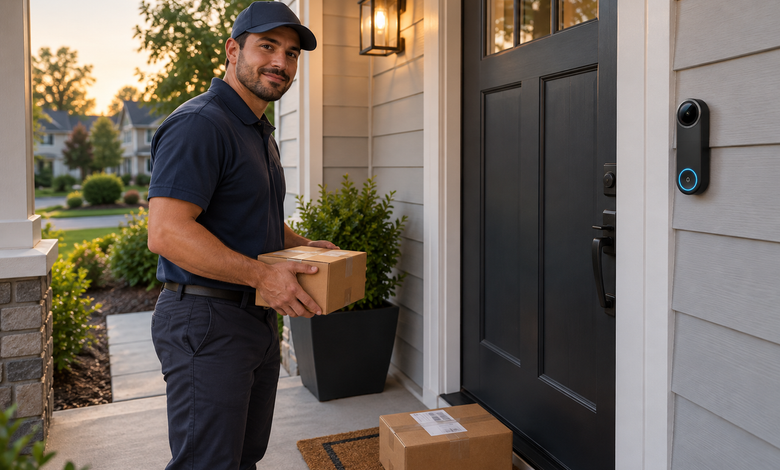
A delivery driver can leave a box near the threshold and walk away within seconds. A standard doorbell camera may capture the visitor’s face clearly while cutting the package out of the frame. Homeowners who want to see both areas therefore have two main camera designs to consider.
This article compares a dual camera doorbell with a single panoramic-lens model. It explains how each design handles visitors, packages, night viewing, storage, and power, helping you choose the better fit for your porch.
Why the Doorstep Is the Hardest Area to Cover
Standard doorbell framing favors the area directly in front of the lens. That composition works well for a face and upper body, but it can cut off the bottom of the doorway. A box placed against the door, beside a planter, or on a low step may sit outside the useful part of the frame, and the gap usually shows up only after a real delivery.
Before comparing hardware, note where packages actually land at your home. Some drivers use the center of the doormat; others leave boxes behind a column or to the side of the steps. No lens design can cover a spot blocked by a wall, door, or porch furniture, so the mounting position is part of the decision. With a clear position, the remaining question is which design organizes the two views in the way you prefer to review them.
How a Dual Camera Doorbell Splits the View
A dual camera video doorbell usually pairs a main camera facing forward with a second camera angled toward the doorstep. The main view handles faces and activity at the door. The lower view watches the mat, threshold, or nearby step. The app may show the feeds side by side, one above the other, or as a smaller view within the main image. Check the notification preview as well as the live screen because a phone alert may feature only one feed until you open the event.
This arrangement gives the package area a dedicated lens. It can be useful when the doorbell must sit relatively high, the porch is shallow, or boxes are consistently placed directly below the main camera. Several video doorbells use two-camera designs, and some battery-powered options can work where existing doorbell wiring is unavailable.
Two views also create two image streams to review. The lenses may use different angles, exposure, or night lighting, so the face and package footage will not always look identical. Resolution labels deserve a closer look because the main camera and package camera may not record at the same resolution. Battery life and storage use also depend on how a specific model records and combines those streams. Check whether saved events preserve both views, whether the timeline keeps them synchronized, and whether an exported clip includes the package feed before buying.
How One Panoramic Lens Covers Faces and Packages
A single panoramic lens uses a tall, wide frame instead of a separate downward camera. With enough vertical coverage, the same image includes a visitor’s face, body, and the ground near the door. Reviewing one frame can feel simpler because the relationship between the person and the package stays visible without switching views.
The trade-off is scale. When a lens captures a very large area, a person may occupy a smaller part of the image, and objects near the edges can look stretched. Resolution, digital zoom, and subject framing decide whether the wide view stays useful. Installation angle matters too, because tilting a panoramic camera toward the floor may sacrifice detail near the top of the approach. Official sample footage is worth reviewing, since a field-of-view number alone does not show how faces or boxes look near the corners.
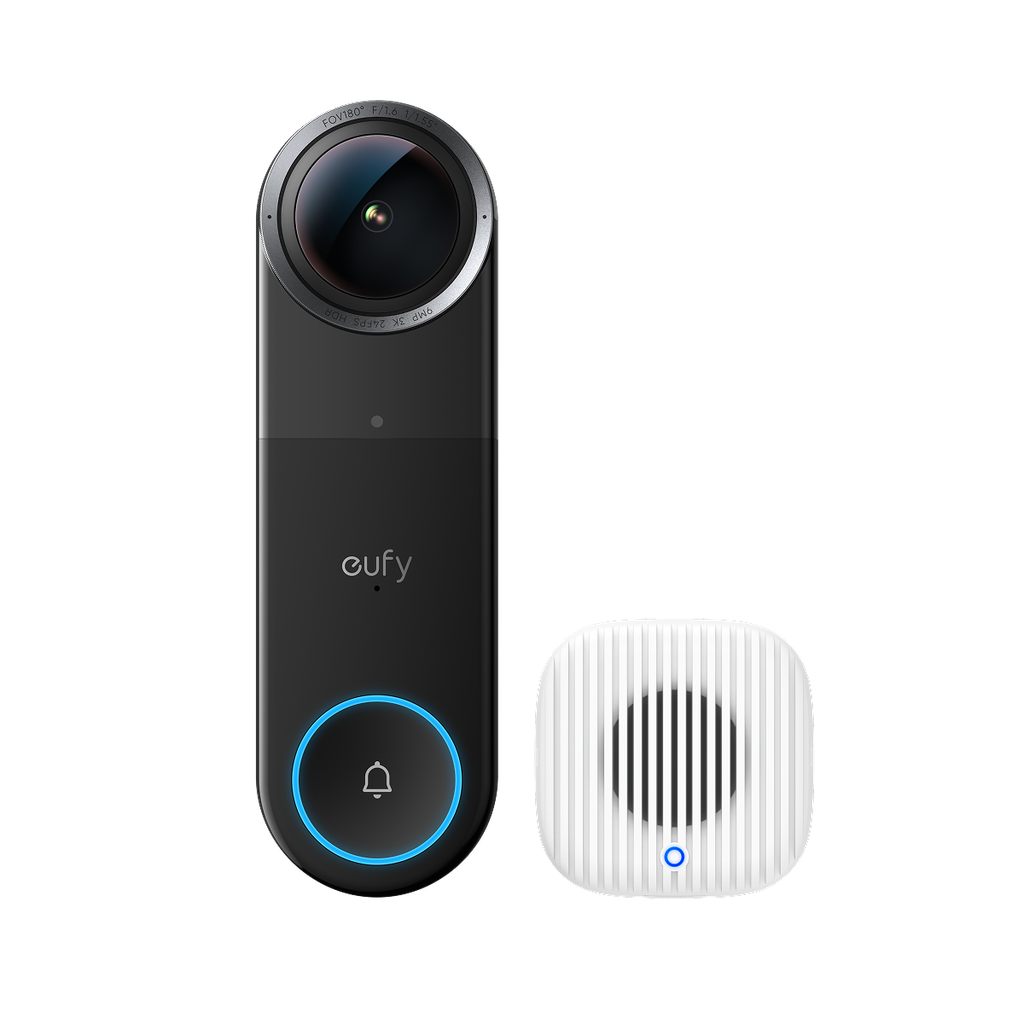
The eufy Video Doorbell S4 is an example of the single-lens route. Its 180° horizontal and 180° vertical field of view places a visitor and the ground in one frame. The camera records at 3072 × 3072 resolution, while Auto-Framing keeps a person centered and OmniTrack follows movement.
Compare Night, Storage, and Power Needs
Lens count affects more than daytime framing. Night lighting, recording storage, and power change how each setup works at a particular entrance. The table keeps those differences in view without treating either design as the default choice.
| Decision point | Two-camera design | Single panoramic design |
| Night view | Each lens needs enough light for its assigned area, and the two feeds may expose the scene differently. | One lens must light a wider scene evenly. The S4 supports color night vision. |
| Saved video | Two streams may require more storage or be combined differently by the app. Confirm what appears in saved and exported events. | One stream keeps the face and doorstep together, although a high-resolution panoramic file can still be large. |
| Power choices | Battery and wired models are available, so this route can suit doors without existing wiring. Exact recording features vary by model. | The S4 is wired only and requires 16 to 24 VAC at 10 to 40 VA. Its built-in battery is for outage backup, not routine use. |
| Continuous recording | Availability depends on the model, power source, and storage system. | S4 supports 24/7 recording with wired power and continuous storage through a microSD card or HomeBase S380. |
Do not assume that an extra lens always doubles battery drain or storage; manufacturers process and save feeds in different ways. Instead, decide which recording mode you plan to use and how much storage a typical event consumes, then confirm both against the model’s specifications.
Match the Lens Setup to Your Porch
A two-camera design is a practical fit when the doorbell must sit relatively high, the porch is shallow, or boxes are consistently placed directly below the main camera and you want a dedicated ground view. The lower lens still needs a clear path to the drop area, so wide trim, ledges, and decorations should not block it.
A panoramic design suits an entrance where one mounting position has an open view of both the visitor and the floor, especially if you prefer a single frame for reviewing events. Judge that view by where deliveries actually land. A box placed directly below the doorbell may appear near the bottom edge of the frame, so check whether that spot remains clear in a live view or saved clip. If it does not, a model with a dedicated downward lens may be the better fit.
Mounting height can change either result, so test the position before you buy or install. Hold a phone or temporary camera at the proposed spot and record someone approaching, standing at the door, and setting down a box. Repeat after dark with the porch light in its normal setting, and test both a small box and a larger delivery in the places drivers commonly use. If the test shows that the porch layout blocks the drop area, no lens arrangement can fix a physical obstruction.
Pre-Installation Checklist
- Run the field-of-view test above at the final mounting height before mounting the camera.
- For a dual-camera model, confirm that saved events and exported clips include both views and stay synchronized.
- Choose event-only or 24/7 recording, and check how much storage that mode uses on the model you are considering.
- For a wired install, verify the transformer rating against the model’s requirements; for a battery model, confirm expected battery life with your recording settings.
Conclusion
Start with the package location and the power available at the door. A dual camera doorbell gives the ground its own view, while one panoramic lens keeps the visitor and package in a single frame. Choose the design that matches your porch and the way you review alerts, then work through the checklist above before installation. The right choice is the one whose saved clips show both the visitor and the box the way you need them.