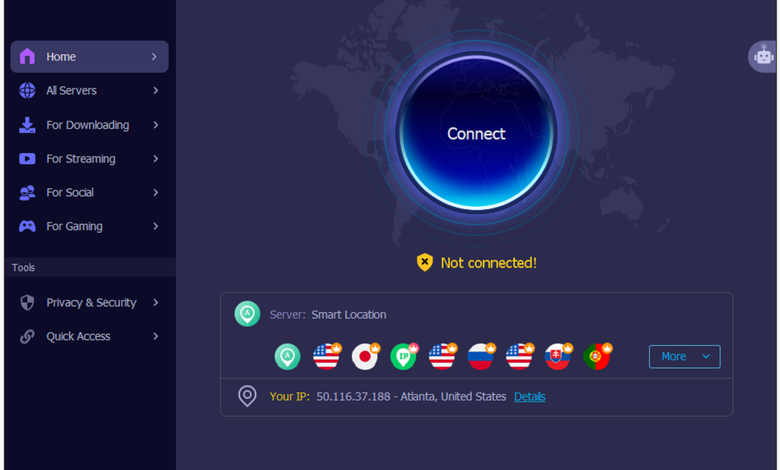
When we travel abroad or find ourselves in regions with restricted access and want to watch streaming platforms like Netflix, we often discover that either the site won’t load at all, or the content available varies depending on our location. Not to mention that some popular apps and games won’t even load in certain regions. In such cases, we can use a VPN to make these apps or streaming platforms think we’re accessing them from an unrestricted region, thereby solving the problem.
In this article, we’d like to recommend iTop VPN, which can help you bypass regional restrictions and unlock any content worldwide.
Key Features of iTop VPN
Get Access to Content Worldwide
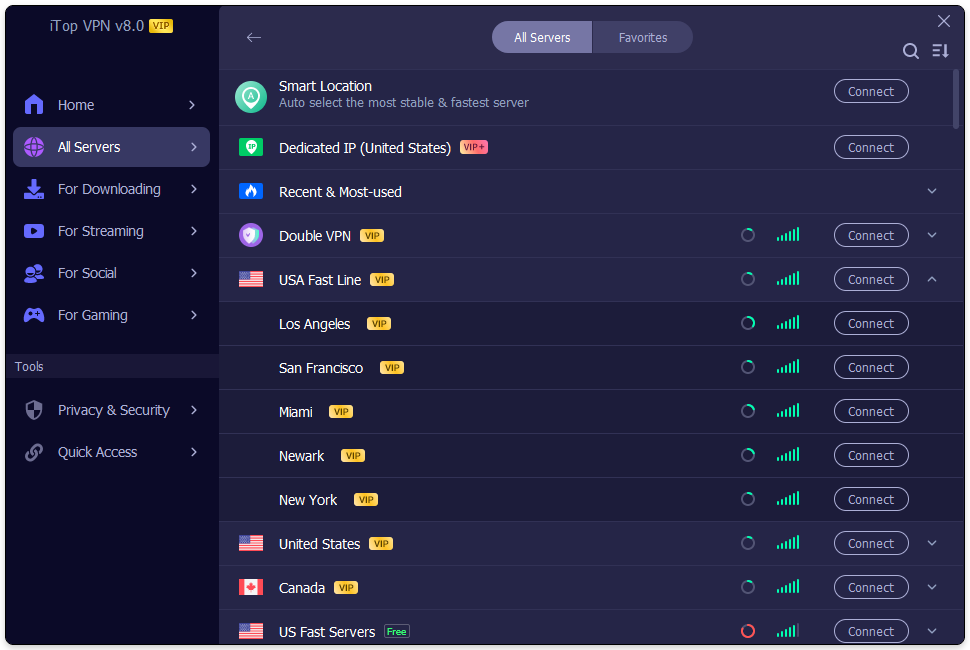
iTop VPN offers more than 3,200 VPN servers worldwide. With it, you can easily access services that are blocked in your country or region, including streaming sites, games, chat apps, social media platforms, and more.
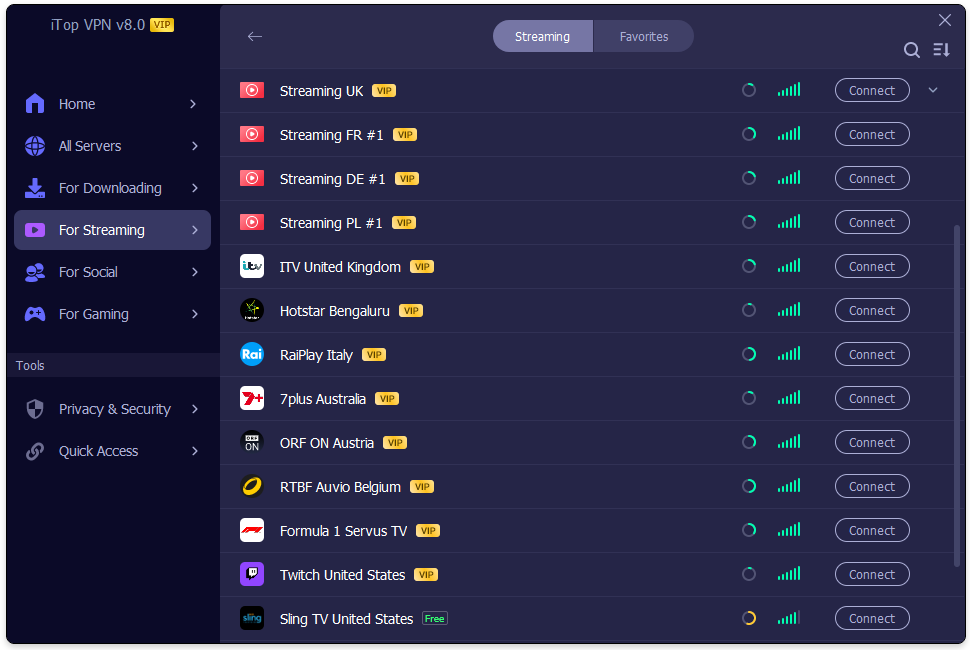
It even offers a dedicated IP for streaming platforms like BBC iPlayer, Disney+, and Prime Video. You can just select a specific IP, such as “Streaming US” or “Streaming UK,” and simply click “Connect” to start browsing content on these platforms.
Best-in-Class Encryption
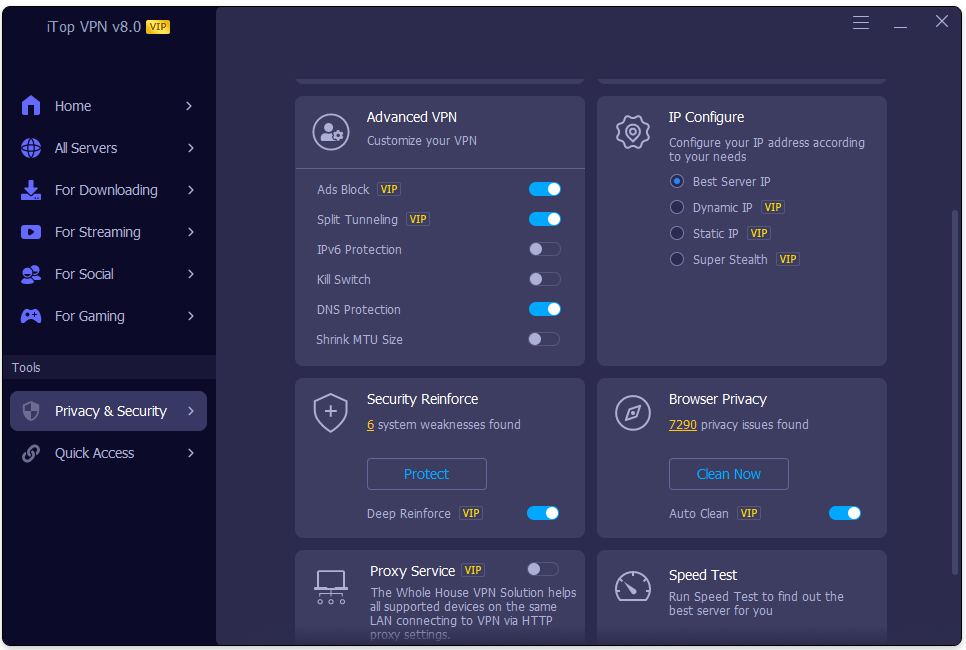
iTop VPN ensures that your digital identity remains hidden. It offers multi-layered protection, including a built-in kill switch, WebRTC leak protection, and full IPv4/IPv6 and DNS masking capabilities, ensuring that your real IP address and location remain hidden even if the connection is suddenly interrupted.
At the same time, users can also use the Super Stealth feature to continuously change their IP address while browsing the web to prevent tracking. However, this feature is not available for gaming or live streaming.
Strict No-Log Policy
Users’ online activity or identifiable metadata will not be recorded, stored, or tracked. iTop VPN uses in-memory servers, so all data is automatically and immediately cleared every time the system restarts.
Dark Web Monitor
When a user accidentally browses the dark web, the Dark Web Monitor scans and monitors dark web sites for leaked information. As soon as your email address, phone number, or other information appears on a dark web site, you will receive an alert.
Step-by-Step Guide: How to Unblock Streaming & Apps with iTop VPN
Step 1: Download & Install iTop VPN
First, go to the iTop website and find “VPN Services.” Since I use a Windows computer for streaming, I downloaded “VPN for Windows.” iTop VPN also supports Mac, iOS, and Android platforms, so you can download the version that best suits your needs.
Step 2: Choose the Right Server
After downloading, open Top VPN, find “For Streaming” in the left navigation bar, and you’ll see a variety of dedicated IP connections. Select one and click “Connect.”
Step 3: Connect & Access
Once you’re connected, you can start enjoying movies, TV shows, and other wonderful content from major streaming services. Major streaming services like ITV and Hulu impose regional restrictions, blocking access for users in certain regions. iTop VPN lets you unlock this content by connecting to servers in regions where it’s available.
Who Is iTop VPN Best For?
Binge-Watchers & Movie Lovers: Users who stream shows across regions or access region-restricted video and audio content.
Expats & Overseas Travelers: Users who need to access domestic apps while abroad or connect to foreign social media platforms when returning to China.
Gamers Looking for Low Latency: Players who need to connect to foreign game servers, bypass IP blocks, or reduce ping times.
Privacy-Conscious Users on Public Wi-Fi: Users who frequently connect to Wi-Fi in public places and want to protect their account privacy and payment security.
FAQ
Can I use iTop VPN on Windows 10?
iTop VPN supports Windows 7, Windows 8/8.1, and Windows 10/11.
Is there a free VPN for Mac?
iTop VPN supports Mac OS X 10.15 or later. It also supports Chrome, Firefox, Edge, Opera, IE, Vivaldi, Waterfox, Pale Moon, and Chromium-based browsers.
What else can iTop VPN do?
iTop VPN also lets you play games anytime, anywhere; block website ads; clear browsing data to protect your privacy from tracking; prevent malware from modifying your system’s DNS settings; and enhance your computer’s security to prevent hacking attacks.
Conclusion
iTop VPN lets you access a wide range of content from major streaming services by connecting to servers in regions where it’s available. Even if you’re in a region with restrictions, this streaming VPN makes it easy for you to watch everything. Its top-notch encryption and privacy protection ensure you can browse the web safely.